

Panduan Strategi Backup Data 3-2-1: Lindungi Data dari Hilang Selamanya
Panduan strategi backup data 3-2-1 untuk PC: backup lokal, cloud, external drive, NAS, Windows Backup, software backup terbaik, dan jadwal backup optimal.

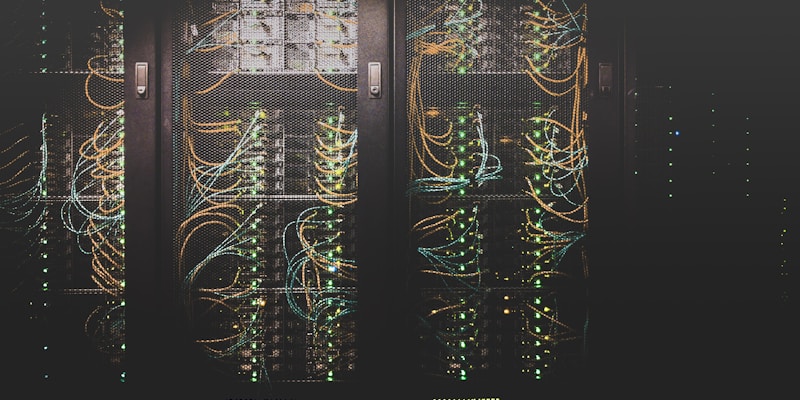

Statistik mengerikan: 30% orang belum pernah backup data, dan 113 HP hilang setiap menit di seluruh dunia. HDD bisa mati kapan saja, ransomware bisa encrypt semua file, laptop bisa dicuri. Satu-satunya proteksi? Backup yang benar.
Aturan Backup 3-2-1 â
Kenapa Backup Penting?
- HDD/SSD failure: Semua storage PASTI akan rusak — tinggal kapan. Mean Time Between Failure (MTBF) HDD = 3-5 tahun
- Ransomware: âš ï¸ Encrypt semua file → minta tebusan. Backup = satu-satunya jalan keluar tanpa bayar
- Human error: Delete file penting, format drive yang salah, overwrite file
- Pencurian/hilang: Laptop dicuri di kafe? Data penting tetap aman di backup
- Bencana alam: Kebakaran, banjir, gempa bumi → backup offsite (cloud) selamatkan data
Metode Backup
1. External Hard Drive (Local Backup) â
- Cara: Colok external HDD/SSD → copy file penting atau pakai backup software
- Kelebihan: Cepat, kapasitas besar, nggak butuh internet, one-time cost
- Kekurangan: Bisa hilang/rusak bareng PC kalau satu lokasi (kebakaran, banjir)
- Rekomendasi:
- WD My Passport 2TB (~Rp 900rb) — compact, reliable
- Seagate Expansion 4TB (~Rp 1.3jt) — best value per TB
- Samsung T7 1TB SSD (~Rp 1.5jt) — super cepat, kecil, tahan banting
2. Cloud Backup (Offsite) â
- Cara: Sync folder penting ke cloud service otomatis
- Kelebihan: Offsite protection, akses dari mana saja, otomatis
- Kekurangan: Butuh internet, biaya bulanan, privacy concerns
- Rekomendasi:
- Google Drive (15GB gratis, Rp 27rb/bulan untuk 100GB)
- OneDrive (5GB gratis, Rp 29rb/bulan untuk 100GB, bundled Microsoft 365)
- Backblaze ($7/bulan unlimited) — dedicated backup, BEST for full PC backup
- IDrive (5GB gratis) — file versioning, NAS backup support
3. NAS (Network Attached Storage)
- Cara: Server mini di rumah dengan 2+ drive dalam RAID configuration
- Kelebihan: Fast local backup, RAID protection, multi-device backup, bisa jadi media server
- Kekurangan: Mahal (NAS + drives), butuh setup, masih satu lokasi (butuh cloud backup juga)
- Rekomendasi:
- Synology DS224+ (~Rp 5jt) + 2x WD Red Plus 4TB (~Rp 4jt) = ~Rp 9jt total
- QNAP TS-233 (~Rp 3jt) — budget NAS yang capable
Software Backup Terbaik
Windows Built-in
- File History: Settings → Update & Security → Backup. Otomatis backup file ke external drive. Simple dan free
- Windows Backup (baru): Cloud-based backup untuk settings, apps, dan preferences
- System Image: Control Panel → Backup and Restore. Full disk image untuk disaster recovery
Third-Party (Gratis)
- Macrium Reflect Free: â Best free backup software. Full disk image, incremental backup, schedule
- Veeam Agent Free: Enterprise-grade backup untuk personal use. Volume dan file-level backup
- FreeFileSync: Sync tool — mirror folder A ke folder B. Simple dan effective
Third-Party (Paid)
- Acronis True Image: ~Rp 700rb/tahun. Full backup + ransomware protection + cloud storage. All-in-one
- Backblaze: ~$7/bulan. Unlimited cloud backup. Set-and-forget. â Best cloud backup
- EaseUS Todo Backup: ~Rp 500rb. User-friendly, disk clone, system migration
Setup Backup Recommended
Budget Setup (Rp 0 - 900rb)
- Google Drive 15GB (gratis): Sync dokumen penting otomatis
- External HDD 2TB (~Rp 900rb): Weekly backup pakai Windows File History
- Macrium Reflect Free: Monthly system image ke external HDD
Recommended Setup (~Rp 1.5jt) â
- OneDrive 100GB (Rp 29rb/bulan): Auto-sync Documents, Desktop, Pictures
- External HDD 4TB (~Rp 1.3jt): Daily backup pakai File History + monthly system image
- Macrium Reflect: Incremental backup schedule
Pro Setup (~Rp 1jt/bulan)
- Backblaze unlimited ($7/bulan): Full PC backup ke cloud
- NAS Synology + 2x HDD: Local network backup + media server
- OneDrive/Google Drive: Real-time document sync
- Acronis True Image: Ransomware protection + versioning
Jadwal Backup
Anti-Ransomware Backup Tips
File yang WAJIB di-Backup
- ✅ Dokumen kerja/kuliah: Word, Excel, PDF, presentasi
- ✅ Foto dan video pribadi: Memories yang nggak bisa di-recreate
- ✅ Database/project files: Code, design files, databases
- ✅ Email penting: Archive atau export
- ✅ Password manager export: Backup vault password
- ✅ Game saves: Biasanya di %AppData% atau Steam Cloud
- ✅ Browser bookmarks: Sync via Google/Firefox account
- ⌠Nggak perlu backup: Windows OS (bisa install ulang), aplikasi (bisa download ulang), game files (bisa re-download dari Steam)
Kesimpulan
Backup 3-2-1 adalah insurance policy digital yang wajib dimiliki. Dengan external HDD Rp 900rb + cloud gratis + Macrium Reflect gratis, kamu sudah punya proteksi solid dari hampir semua skenario kehilangan data. Test restore secara berkala — backup yang nggak pernah di-test = false security.
Butuh bantuan setup backup? COC Komputer bisa setup automated backup system untuk PC-mu! ðŸ”
What's Your Reaction?
 Like
0
Like
0
 Dislike
0
Dislike
0
 Love
0
Love
0
 Funny
0
Funny
0
 Wow
0
Wow
0
 Sad
0
Sad
0
 Angry
0
Angry
0






Comments (0)