

Panduan Rakit PC untuk Video Editing dan Photo Editing 2025: Spek, Komponen, dan Build
Panduan rakit PC untuk video editing dan photo editing 2025: spek minimum Premiere Pro, DaVinci Resolve, Photoshop, komponen terbaik, build recommendation di setiap budget.
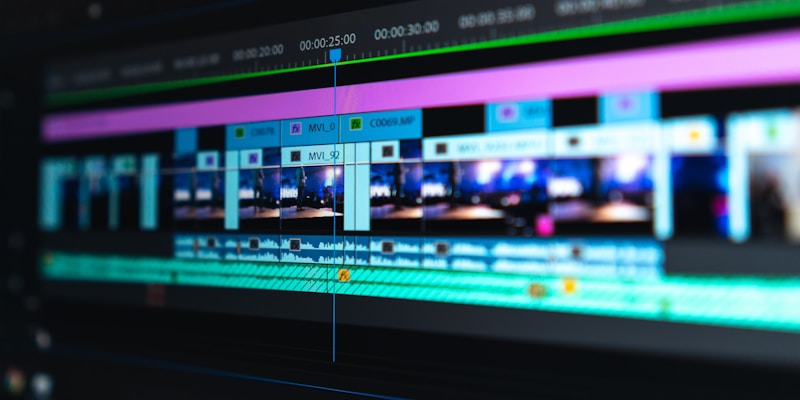

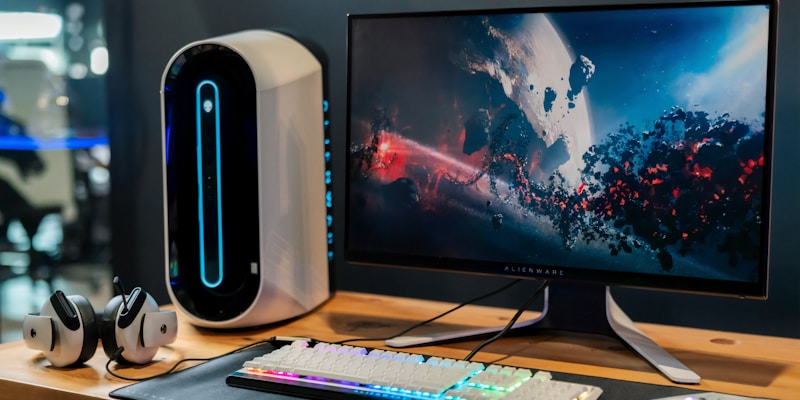
Banyak yang mikir PC gaming otomatis bagus untuk editing. SALAH! PC gaming prioritaskan GPU untuk render real-time game. PC editing prioritaskan CPU multi-core, RAM besar, dan storage cepat. Artikel ini panduan spesifik untuk content creator.
PC Editing vs PC Gaming: Apa Bedanya?
| Aspek | PC Gaming | PC Editing |
|---|---|---|
| Prioritas #1 | GPU (gaming performance) | â CPU (encoding/rendering) |
| RAM | 16GB cukup | â 32-64GB recommended |
| Storage | SSD 1TB OK | â SSD NVMe + HDD besar (2-4TB+) |
| GPU | â High-end gaming GPU | Mid-range OK (NVENC/hardware encoder penting) |
| Monitor | High refresh rate (144Hz+) | â Color accuracy (100% sRGB, DCI-P3) |
Spek Minimum per Software
Adobe Premiere Pro 2025
DaVinci Resolve (Gratis!)
- GPU-intensive! Resolve pakai GPU jauh lebih banyak dari Premiere. GPU adalah prioritas #1
- GPU Minimum: NVIDIA RTX 3060 12GB (VRAM penting untuk color grading)
- GPU Ideal: â NVIDIA RTX 4070+ (12GB+ VRAM)
- RAM: 32GB minimum, 64GB untuk timeline 4K yang kompleks
- CPU: 8+ core, tapi GPU lebih penting
- Catatan: Resolve Studio ($295 one-time) unlock hardware acceleration. Worth the investment
Adobe Photoshop / Lightroom
- Photo editing jauh lebih ringan dari video editing
- CPU: 4-6 core cukup (i5/Ryzen 5)
- RAM: 16GB cukup untuk kebanyakan workflow (32GB kalau layer banyak atau file RAW besar)
- GPU: Entry-level OK. GPU acceleration untuk filters tapi nggak se-critical video editing
- Storage: SSD untuk catalog + scratch disk
- Monitor: â Color accuracy PALING PENTING! 100% sRGB minimum, 95%+ DCI-P3 ideal
Blender (3D Rendering)
- CPU + GPU keduanya penting
- CPU: 12+ core recommended (Ryzen 9 7900X / i9-13900K) untuk CPU rendering
- GPU: NVIDIA RTX 4070+ (12GB VRAM minimum) untuk GPU rendering (Cycles)
- RAM: 32-64GB (scene kompleks bisa makan banyak RAM)
- CUDA vs OptiX: NVIDIA GPU support OptiX untuk Blender = render 2-3x lebih cepat
Build Rekomendasi
Photo Editing + Light Video (Rp 8-10jt)
Video Editing Serius / 4K (Rp 15-18jt) â
Professional Workstation / 6K-8K (Rp 25-30jt)
Komponen PALING Penting untuk Editing
- CPU (multi-core): Rendering, encoding, transcoding = CPU heavy. Lebih banyak core = lebih cepat export
- RAM (besar): Timeline 4K + effects + preview = RAM killer. 32GB adalah sweet spot 2025
- Storage (NVMe cepat): Read/write file video besar. SSD NVMe Gen4 = scrub timeline 4K tanpa lag
- GPU (NVENC/CUDA): Hardware encoding (NVENC) percepat export 3-5x. CUDA acceleration untuk effects/color grading
- Monitor (color accuracy): WAJIB 100% sRGB. Kalau kerja profesional: 95%+ DCI-P3 + factory calibrated
Tips untuk Editor
- Proxy workflow: Edit 4K footage pakai proxy 720p → export dari source files. PC lemah pun bisa edit 4K lancar
- Separate drives: OS di SSD #1, project files di SSD #2, export/render di SSD #3. Parallel read/write = faster
- NVIDIA > AMD untuk editing: CUDA dan NVENC support jauh lebih baik di software editing (Premiere, Resolve, After Effects)
- ECC RAM? Nggak perlu untuk consumer editing. ECC RAM untuk server/workstation 24/7
- UPS wajib: 2 jam rendering hilang karena listrik mati = nightmare. Investasi UPS mulai Rp 500rb
Monitor untuk Editing
- Budget: BenQ GW2780 27" (~Rp 2.5jt) — 100% sRGB, IPS, factory calibrated
- Mid: ASUS ProArt PA278CV (~Rp 4.5jt) — â 100% sRGB, 100% Rec.709, factory calibrated, USB-C
- Premium: BenQ PD2705U 4K (~Rp 7jt) — 95% DCI-P3, HDR, factory calibrated, 4K
- Tips: JANGAN pakai monitor gaming TN panel untuk editing. Warna nggak akurat, viewing angles jelek
Kesimpulan
PC editing ≠PC gaming. Prioritaskan CPU multi-core, RAM 32GB+, dan SSD NVMe, bukan GPU mahal. Untuk video editing serius, budget Rp 15-18jt gives you an excellent 4K editing experience. Dan jangan lupa: monitor color-accurate sama pentingnya dengan PC! 🎬
Mau rakit PC editing? COC Komputer bisa custom build sesuai workflow-mu! ✨
What's Your Reaction?
 Like
0
Like
0
 Dislike
0
Dislike
0
 Love
0
Love
0
 Funny
0
Funny
0
 Wow
0
Wow
0
 Sad
0
Sad
0
 Angry
0
Angry
0

Tech Reviewer spesialis periferal gaming dan troubleshooting Windows.






Comments (0)